

The desktop app records audio in Opus by default. If you use a video editor that doesn’t support Opus, such as Premiere Pro, you can switch to AAC so downloaded recordings can be imported without conversion.
Opus provides better audio quality at the same file size, so it remains the default.
Changing the audio codec
Open Settings in the desktop app.
Select Recording from the left sidebar.
Scroll down and click Advanced.
-
Select AAC from the Audio codec dropdown.
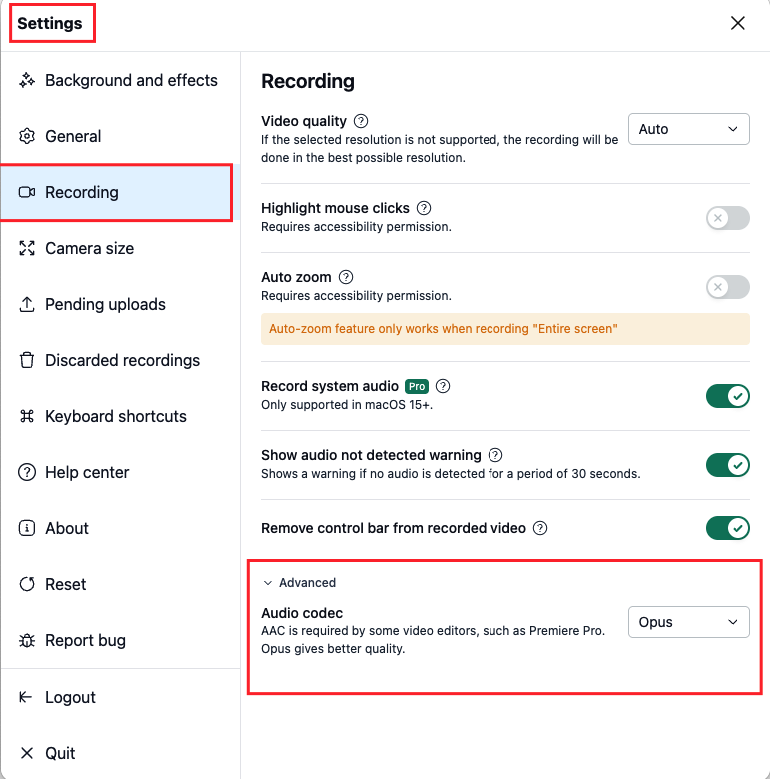
Your selection is saved automatically and applies to your next recording. Existing recordings keep their original codec.
When the setting doesn't appear
AAC encoding depends on your operating system and isn't available on every computer. If your system doesn't support it, the Audio codec option won't appear, and recordings will continue using Opus.